Rate This Tool
Click stars to rateShare with Friends
Convert Your PNG Image into Favicon
Transform your PNG images into professional favicons instantly with our Free PNG to Favicon Converter. Designed for webmasters and developers, this tool generates all necessary favicon sizes (ICO, PNG), creates essential HTML meta tags, and produces a site.webmanifest file for Progressive Web App (PWA) compatibility. Enjoy a seamless drag-and-drop experience with client-side processing for maximum privacy and speed. Perfect for boosting your site's SEO, visual identity, and mobile readiness.
Favicon Optimization FAQ & Search Engine Guidelines
Why does your website's favicon affect its search appearance and CTR?
Google displays your website's favicon directly alongside your meta title in both mobile and desktop Search Engine Result Pages (SERPs). A high-resolution, recognizable favicon acts as a crucial visual branding anchor. If your favicon is missing or improperly configured, Google will substitute it with a generic, unbranded globe icon, which significantly degrades user trust and lowers your organic Click-Through Rate (CTR).
What is the difference between a PNG and a legacy .ICO file format?
A PNG file is a single-layer raster image that supports alpha channel transparency, making it ideal for modern browsers. In contrast, an .ICO file is an image container format capable of storing multiple sizes (such as 16x16, 32x32, and 48x48 pixels) within a single file. While modern web architectures heavily utilize PNG configurations, legacy enterprise systems and server-level roots still rely on a native favicon.ico backup for fallback stability.
What are Google's official size and layout rules for favicons?
To be eligible for display in Google search results, your favicon must follow three strict guidelines: it must be a *perfect square* (a 1:1 aspect ratio), its dimensions must be a multiple of 48 pixels (e.g., 48x48px, 96x96px, or 192x192px), and it must be permanently crawlable. Google will actively downscale higher resolution assets to render a standardized size in the search results layout, but square proportioning is non-negotiable.
How do you explicitly declare different favicon sizes in your HTML head?
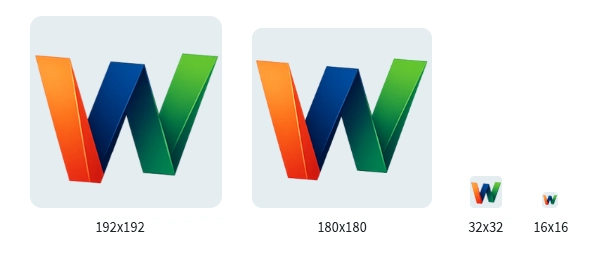
To ensure optimal rendering across desktop tabs, bookmark bars, and mobile home screens, you should link your generated PNG variations within your webpage's <head> section using explicit size declarations. This allows modern web browsers to selectively request the exact dimension required by the host device:
<link rel="icon" type="image/png" sizes="32x32" href="/favicon-32x32.png">
<link rel="icon" type="image/png" sizes="16x16" href="/favicon-16x16.png">
<link rel="apple-touch-icon" sizes="180x180" href="/apple-touch-icon.png">
Why is Google not updating or displaying your website's favicon?
Favicons are crawled by a specialized user-agent called Google Favicon. This bot operates on a significantly slower schedule than standard web indexing spiders, often taking several days or weeks to process changes. If your asset update is stalled, ensure that your robots.txt file isn't accidentally blocking the user-agent, and use the Google Search Console URL Inspection tool to request an active re-crawl of your homepage.
Should you use transparency when converting your logo into a favicon?
Yes, preserving transparency using a PNG container is highly recommended to accommodate users who navigate browsers in Dark Mode. If your logo has a solid white background box, it will look unpolished and jarring in dark UI environments. However, if your logo mark itself consists entirely of dark lines, ensure you apply a subtle light stroke or background layer so it remains completely visible against black browser tabs.