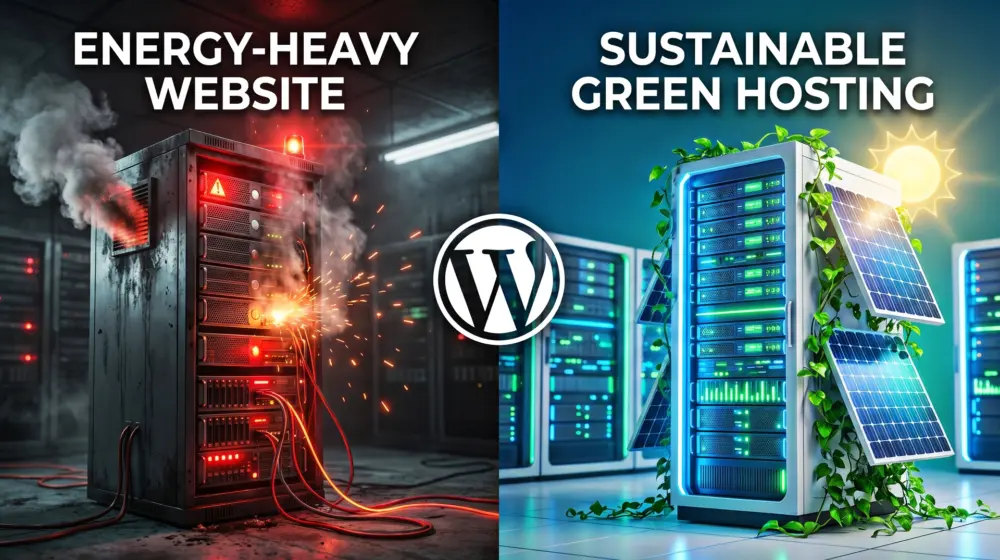
The internet is invisible, but its environmental impact is massive. Every search query, every image loaded, and every database request requires electricity. With millions of websites running on WordPress, the platform’s collective energy consumption rivals that of entire countries.
If you are a web developer, designer, or site owner in 2026, building a fast website isn't just about SEO and user experience anymore. It is about sustainable WordPress design. With new global regulations stepping in, reducing the "digital carbon footprint" of your website has shifted from a nice-to-have moral goal to a strict legal and business requirement.
In this comprehensive guide, we will break down exactly why WordPress sites are traditionally "energy-heavy" and how you can implement green coding practices to build lean, lightning-fast, and eco-friendly websites.
Quick Answer: How to Reduce Your WordPress Carbon Footprint?
To reduce your website carbon footprint, adopt energy-efficient web development practices: switch to a "Green Hosting" provider powered by renewables, implement "Green Coding" by removing bloated plugins, replace heavy images with next-gen formats like AVIF, use system fonts instead of external web fonts, and streamline your UX to comply with WCAG 2.2 guidelines. Faster, lighter websites consume less server energy and drain less battery on user devices.
The 2026 Reality: The Energy Efficiency Directive (EED)
Before we dive into the code, we need to understand the business landscape. Why is everyone suddenly talking about green web development?
In 2026, the European Union's Energy Efficiency Directive (EED) is in full effect. This directive requires EU-based companies and global enterprises doing business within the EU to audit and report their "Digital Sustainability" metrics. Companies are now legally obligated to measure the power consumption of their IT infrastructure, which directly includes their websites, web apps, and server environments.
Even if you aren't based in the EU, enterprise clients are now demanding eco-friendly web solutions to meet their own ESG (Environmental, Social, and Governance) goals. If your agency cannot deliver an energy-efficient web development strategy, you will lose contracts to agencies that can.
Why is WordPress So "Energy-Heavy"?
Out of the box, WordPress is incredibly powerful, but it isn't inherently green. Its carbon footprint balloons due to:
- Database Bloat: Every page load triggers multiple PHP queries to the MySQL database.
- Plugin Overload: Many sites run 20-50 plugins, loading unminified CSS and JS on pages where they aren't even used.
- Heavy Media: Unoptimized JPEGs, PNGs, and autoplaying background videos require massive data transfer.
- Inefficient Hosting: Cheap, shared hosting environments often rely on outdated servers running on non-renewable grid energy.
Green Coding: The Blueprint for Sustainable WordPress Design
Green coding is the practice of writing software that minimizes the energy required to process, transmit, and display data. For WordPress developers, this means ruthless optimization.
1. The Image Revolution: Embracing AVIF
Images generally make up over 50% of a webpage's total weight. More weight equals more data transfer, which equals more energy consumed by network routers and the user's screen.
While WebP was the gold standard a few years ago, AVIF (AV1 Image File Format) is the undeniable standard in 2026.
- The Benefit: AVIF offers up to 50% better compression than WebP and 70% better than JPEG, with no visible loss in quality.
- The Implementation: You can automatically convert your media library to AVIF using modern WordPress image optimization plugins or CDN-level edge processing (like Cloudflare Polish).
Pro Tip: Stop using images when CSS will do. Gradients, shadows, and shapes can all be rendered with minimal CSS, saving kilobytes of data and reducing HTTP requests.
2. Typography: The Hidden Cost of Google Fonts
Web fonts are beautiful, but they are a silent energy killer. When you load Google Fonts, the user's browser has to make an external DNS lookup, connect to Google's servers, download the font files, and render them. This delays the page load (triggering high CPU usage) and wastes energy.
The Solution: System Fonts System fonts are pre-installed on your user's operating system (Windows, macOS, iOS, Android). By using system fonts, you eliminate font downloads entirely.
Here is a modern, cross-platform system font stack you can drop into your CSS:
CSS
body {
  font-family: -apple-system, BlinkMacSystemFont, "Segoe UI", Roboto, Helvetica, Arial, sans-serif, "Apple Color Emoji", "Segoe UI Emoji", "Segoe UI Symbol";
}
If your brand absolutely requires a custom web font, self-host it. Download the .woff2 files, host them locally on your server, and preload them in your <head> tag. Subset your fonts to strip out Cyrillic or Greek characters if your site is English-only. This can reduce a font file from 100kb to 15kb.
3. Slaying the Code Bloat
Every line of code requires energy to be parsed and executed by the browser.
- Asset Unloading: Use asset management plugins to disable plugins from loading their scripts on pages where they aren't needed. (e.g., don't load Contact Form 7 scripts on your homepage).
- Minification: Minify your HTML, CSS, and JS. This strips out spaces, line breaks, and comments, reducing file sizes.
- Modern PHP: Ensure your server is running the latest stable version of PHP. Newer versions handle requests significantly faster and require less CPU time than older legacy versions.
Green Hosting for WordPress 2026
You can optimize your code until you are blue in the face, but if your server is powered by a coal plant, your website is not sustainable. Choosing the right server is the most impactful step you can take to reduce website carbon footprint.
What is Green Hosting?
Green hosting companies design their infrastructure to minimize environmental impact. They do this by purchasing Renewable Energy Certificates (RECs), investing in wind or solar power, and utilizing highly efficient cooling systems in their data centers.
Understanding PUE (Power Usage Effectiveness)
When evaluating a green hosting for WordPress 2026 provider, look for their PUE rating. PUE is the ratio of the total amount of energy used by a computer data center facility to the energy delivered to the computing equipment.
- A PUE of 2.0 means for every watt of power used by the server, another watt is used to cool it (Very bad).
- A PUE of 1.5 is the industry average.
- A PUE of 1.1 to 1.2 is highly efficient (Excellent).
How to audit your host: Ask your hosting provider for their PUE rating and their renewable energy mix. If they cannot provide a transparent sustainability report, it is time to migrate your WordPress site to a host that takes the EED regulations seriously.
UI/UX and WCAG 2.2: How Accessibility Saves Energy
There is a beautiful overlap between accessible design and sustainable design. Building a website that complies with the WCAG 2.2 (Web Content Accessibility Guidelines) naturally results in a greener website.
Here is how UI/UX specialists can bridge the gap:
1. Simplified User Journeys
WCAG 2.2 emphasizes clear navigation and predictable interfaces. From a UX perspective, if a user can find what they need in two clicks instead of five, they load fewer pages. Fewer page loads mean less server processing and less energy wasted browsing lost.
2. Reduced Motion (Saving Battery Life)
Animations, parallax scrolling, and autoplaying videos force the user's GPU and CPU to work overtime, rapidly draining mobile batteries and consuming electricity.
- WCAG Alignment: Accessibility guidelines mandate that users must be able to pause, stop, or hide moving content.
- The Green Dev approach: Use the
prefers-reduced-motionCSS media query. If a user has indicated on their OS that they prefer less motion, you can serve them a static, highly energy-efficient version of your site.
3. Dark Mode and High Contrast
WCAG guidelines strictly enforce high contrast ratios for text readability. While contrast helps visually impaired users, it also paves the way for effective "Dark Mode" designs. On modern OLED screens (which most smartphones use in 2026), displaying the color black actually turns off the pixel entirely. Designing a high-contrast dark mode reduces the energy draw of the user's physical screen by up to 40%.
Edge Caching: The Ultimate Power Saver
WordPress is dynamic. Every time a user visits, WordPress asks the database for the content, stitches it together with the theme, and serves the HTML. This is an energy-intensive process.
Caching creates a static HTML copy of your pages. When the next user visits, the server just hands them the static file, bypassing the database entirely.
Take it a step further with Edge Caching via a CDN (Content Delivery Network). A CDN stores your static files on servers all around the globe. If your primary server is in London, but a user visits from Tokyo, the data doesn't have to travel across the planet (which uses energy at every routing node). Instead, the Tokyo edge server delivers the file instantly. Shorter data travel distance equals a smaller carbon footprint.
Your 2026 Sustainable WordPress Checklist
Ready to take action? Here is your step-by-step summary:
- Run a Baseline Test: Use tools like the Website Carbon Calculator or EcoGrader to find out your current emissions per page view.
- Audit Your Host: Check your host's PUE rating and demand proof of renewable energy usage. Migrate if necessary.
- Convert Media: Batch convert your JPEGs and PNGs to AVIF.
- Ditch the Web Fonts: Switch to a sleek system font stack, or self-host and subset a single custom font.
- Trim the Fat: Audit your plugins. Delete anything that isn't providing critical business value.
- Enforce Edge Caching: Set up page caching and route your traffic through an aggressive CDN.
- Check WCAG 2.2 Compliance: Streamline your UX, ensure high contrast, and respect the
prefers-reduced-motionquery.
Conclusion
We are building the future of the web, and that future must be sustainable. Reducing your digital carbon footprint isn't just about passing the upcoming EED audits; it is about building a better, faster, and more inclusive internet for everyone. When you optimize for the planet, you simultaneously optimize for human beings. Your site ranks higher, converts better, and costs less to host.
Green coding is a win-win-win scenario.
I’d love to hear your thoughts on this! Have you checked your website's carbon footprint yet, and what was the most surprising thing you found draining your site's energy? Let me know in the comments below, and please share this article with your fellow developers so we can clean up the web together!
