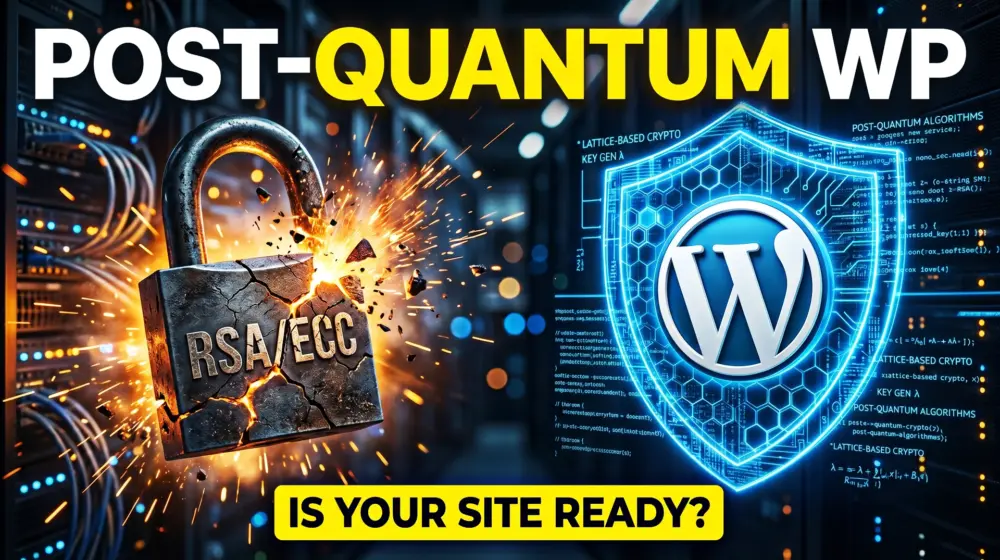
For over two decades, the security of the web has rested on a simple mathematical assumption: that certain problems are too hard for computers to solve. If you’ve ever seen the padlock icon in your browser while working on your WordPress dashboard, you’ve relied on RSA or ECC (Elliptic Curve Cryptography). These are the "digital locks" that keep your passwords, customer data, and credit card numbers safe.
However, we have entered a new era. In 2026, the rise of early quantum computing has turned a theoretical threat into a practical emergency. While a fully "stable" quantum computer might still be evolving, the strategy of "Harvest Now, Decrypt Later" is already happening. Data stolen today by hackers is being stored, waiting for the moment quantum power can crack its encryption like an eggshell.
Why the "Quantum Harvest" Matters in 2026
As a WordPress developer or business owner, you aren't just managing a website anymore; you are managing a vault. This guide will walk you through Post-Quantum Cryptography (PQC) what it is, why WordPress needs it, and how you can transition your tech stack to be NIST-compliant and future-proof.
Section 1: What is Post-Quantum Cryptography (PQC)?
To understand the solution, we must understand the problem. Traditional encryption (RSA) relies on the fact that factoring huge numbers is incredibly slow for a "classical" computer. It would take a modern supercomputer trillions of years to crack a 2048-bit RSA key.
A quantum computer, using a method called Shor’s Algorithm, can solve this problem in minutes.
Post-Quantum Cryptography (PQC) refers to a new generation of cryptographic algorithms designed to be secure against both quantum and classical computers. These algorithms are built on complex mathematical problems like lattice-based cryptography that even a quantum computer cannot easily solve.
The NIST Standards to Know
The National Institute of Standards and Technology (NIST) has finalized the "winners" of the global race to find quantum-resistant algorithms. As a WordPress pro, you’ll start seeing these names in your hosting panels and security plugins:
- ML-KEM (formerly Kyber): Used for general encryption (like SSL/TLS certificates).
- ML-DSA (formerly Dilithium): Used for digital signatures (verifying that a WordPress update is legitimate).
- SLH-DSA (formerly SPHINCS+): A backup signature method.
Section 2: The Specific Threat to WordPress Sites
WordPress powers over 40% of the web. This makes it the largest target for quantum-based data harvesting. Here is where your site is currently vulnerable:
1. SSL/TLS Handshakes
When a user visits your site, their browser "shakes hands" with your server to establish a secure connection. Currently, this uses ECC or RSA. If a malicious actor intercepts this handshake today, they can record the encrypted traffic and wait for a quantum computer to reveal the contents later.
2. Database Encryption
Many enterprise WordPress sites encrypt sensitive user meta or WooCommerce order data at rest. If your encryption keys are based on old standards, that "secure" database is a ticking time bomb.
3. Remote Access (SSH and SFTP)
Developers usually access WordPress via SSH. If your SSH keys are standard RSA, your entire server environment is at risk of being breached as quantum-assisted brute-forcing becomes more accessible.
Section 3: How to Prepare Your WordPress Server for PQC
You don't need to be a mathematician to secure your site. PQC readiness starts at the server level. Here is the technical roadmap for future-proofing WP encryption.
Step 1: Upgrade to OpenSSL 3.2+
OpenSSL is the engine that handles encryption for most WordPress servers (Nginx/Apache). OpenSSL version 3.2 and higher has begun integrating "provider" modules that support quantum-resistant algorithms.
- Action: Contact your hosting provider and ask if they support OpenSSL 3.2 with the OQS (Open Quantum Safe) provider.
Step 2: Implement Hybrid Key Exchange
We are currently in a "hybrid" phase. You shouldn't ditch RSA/ECC entirely yet because some older browsers (like those on legacy smartphones) won't understand quantum codes.
- The Strategy: Use a hybrid approach where the connection is wrapped in both a classical key and a quantum-resistant key (like X25519 + Kyber768). If one fails, the other holds.
Step 3: Move to NIST-Compliant WordPress Hosting
The biggest shift in 2026 is the emergence of NIST-compliant WordPress hosting. High-end managed hosts are now offering "Quantum-Resistant Tunnels" for their Content Delivery Networks (CDNs).
- When choosing a host, look for those offering Cloudflare’s Post-Quantum TLS or similar edge-level protections.
Section 4: The Developer’s Toolkit: Plugins and Code
While much of PQC happens at the server level, the WordPress application layer needs to be aware of these changes.
PQC-Aware Security Plugins
In 2026, leading security plugins (like Wordfence or Solid Security) have introduced "Quantum Audit" features. These tools scan your site for:
- Outdated SSL certificates.
- Legacy SSH keys.
- Plugins that use hardcoded, non-compliant encryption libraries.
Updating Your PHP Environment
WordPress runs on PHP. To handle PQC, your server should be running PHP 8.3 or 8.4+. These versions have better support for the latest OpenSSL features and improved handling of the larger key sizes required by quantum-resistant algorithms.
Pro Tip: Quantum-resistant keys are much larger than RSA keys. This means the "handshake" might take a few milliseconds longer. Optimizing your site’s performance (Core Web Vitals) is now a security necessity to offset this "quantum overhead."
Section 5: UI/UX Specialist Perspective: Designing for Trust
Security isn't just about code; it’s about how the user feels. As a UI/UX specialist, you need to communicate "Quantum Readiness" without overwhelming the user with jargon.
1. The "Quantum-Secure" Badge
For e-commerce sites, trust is currency. Consider adding a subtle "Quantum-Resistant Encryption" badge near the checkout button. This tells high-value clients that their data is safe not just for today, but for the next decade.
2. Accessibility (WCAG 2.2) and Security Alerts
When a user needs to update their security settings (like regenerating a PQC-compliant 2FA key), the interface must be accessible.
- Color Contrast: Ensure security warnings have a contrast ratio of at least 4.5:1.
- Focus States: Ensure users navigating via keyboard can easily find "Update Security" buttons.
- Clear Language: Avoid "Error 492: Non-NIST Key Found." Instead, use "Action Required: Your security key needs a modern update for better protection."
Section 6: A Checklist for PQC Readiness
If you are managing a WordPress site today, use this checklist to ensure you are ahead of the curve:
| Task | Category | Priority |
| Audit SSL Certificate for Hybrid PQC support | Server | High |
| Upgrade SSH keys to Ed25519 or ML-DSA | DevOps | High |
| Enable "Quantum-Safe" mode in CDN (Cloudflare/Akamai) | Network | Medium |
| Verify PHP version is 8.3+ | Application | Medium |
| Update "Privacy Policy" to reflect PQC data handling | Legal | Low |
Conclusion: The Future is Quantum-Safe
The transition to Post-Quantum WordPress security isn't an overnight task, it's a journey. By 2027, NIST compliance will likely be a requirement for government and enterprise contracts. By starting your "Quantum-Resistant" journey now, you are positioning yourself as a forward-thinking developer in a crowded market.
We are moving away from a "set it and forget it" mentality toward a "constant evolution" model. The digital locks of yesterday are breaking, but the new locks we are building today are stronger than anything we’ve seen before.
What do you think?
Is your hosting provider talking about quantum security yet, or does it still feel like science fiction? If you've started implementing PQC-ready tools, I’d love to hear about your experience in the comments below.
If you found this guide helpful, please share it with your fellow developers, let’s make the WordPress ecosystem quantum-safe together!
