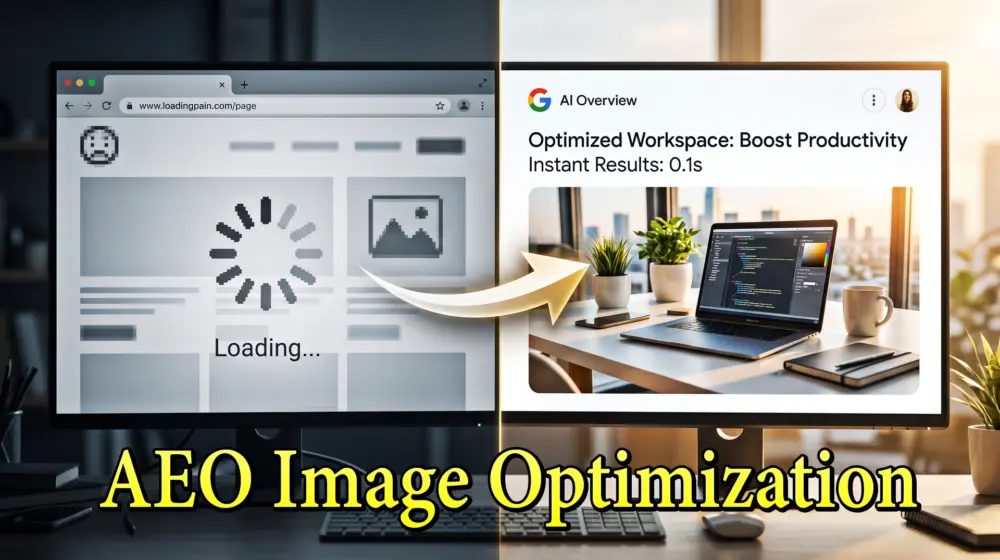
The world of search is changing. We’ve moved past the era of just "Search Engine Optimization" (SEO) and entered the age of Answer Engine Optimization (AEO).
When a user asks a question today, they aren't just looking for a list of blue links. They want a direct, synthesized answer from AI models like Gemini, ChatGPT, or Perplexity. These AI "Answer Engines" pull data from across the web to create snapshots of information.
But here is the secret most developers miss: AI loves visuals.
An AI Overview is significantly more engaging when it includes a relevant image. If your image is the one the AI chooses to display, your click-through rate (CTR) doesn't just grow; it explodes. As a WordPress developer and UI/UX specialist, I’ve seen firsthand how a single optimized graphic can become the "featured answer" for thousands of queries.
In this guide, we are going to dive deep into how you can optimize your images specifically for AEO, ensuring your WordPress site remains the go-to source for the AI-driven future.
1. Understanding the Difference: SEO vs. AEO for Images
Before we get into the "how," we need to understand the "why." Traditional SEO for images was about ranking in Google Image Search. AEO is about being the visual proof for an AI-generated answer.
- Traditional SEO Focus: Keywords in file names, alt text, and fast loading speeds.
- AEO Focus: Contextual relevance, entity association, and providing a "visual answer" to a specific user intent.
AI engines don't just "see" an image. They analyze the relationship between the image, the surrounding text, the metadata, and the structured data. To win at AEO, your image must be the most authoritative and descriptive answer to a query.
2. Technical Foundations: The Basics Still Matter
You cannot build a high-performing AEO strategy on a slow, clunky website. Before we talk to the AI, we need to talk to the browser.
Use Next-Gen Formats (WebP and AVIF)
In 2026, using JPEG or PNG for standard blog images is outdated. WebP is the standard, but AVIF is the gold medalist for quality-to-size ratio. Smaller files mean faster "time to interactive," which AI crawlers use as a signal of high quality.
Implement Proper Sizing
Don't upload a 4000px image if your content area is only 800px wide. This causes "Layout Shift," which frustrates users and penalizes you in AI rankings. Use the srcset attribute in WordPress to serve different sizes to different devices automatically.
Lossless Compression
Tools like ShortPixel or TinyPNG are essential. Your goal is to keep image files under 100kb whenever possible without losing the crispness that defines a high-end UI/UX experience.
3. The Anatomy of an AI-Ready Image
To optimize for Answer Engines, every image needs a "digital ID card" that tells the AI exactly what it’s looking at.
Descriptive File Naming
- Bad:
IMG_5502.jpg - Good:
how-to-setup-wordpress-block-editor.jpg
Use hyphens to separate words. AI models use the file name as the first clue for indexing the content.
Contextual Alt Text (The AEO Superpower)
Alt text is no longer just for accessibility (though that is vital). For AEO, alt text should describe the purpose of the image in the context of the answer.
Example: If you have an image of a custom WordPress dashboard.
- Basic Alt Text: "WordPress dashboard screenshot."
- AEO Optimized Alt Text: "A customized WordPress admin dashboard showing the RankMath SEO overview and performance analytics for AEO optimization."
Captions and Surrounding Text
AI engines look at the "neighborhood" of an image. If your image is surrounded by high-quality, relevant text, the AI is more likely to trust that the image is a valid answer to a user's question. Always use the <figcaption> tag in WordPress to provide a one-sentence summary of the visual.
4. Structured Data: Speaking the AI's Language
If you want an AI to pull your image into an AI Overview, you must use Schema Markup (JSON-LD). This is the direct line of communication between your WordPress site and the AI's brain.
By using ImageObject schema, you can tell the AI:
- The representative URL of the image.
- The author of the image.
- The license (helping you appear in "free to use" filters).
- The "About" and "Mentions" entities.
For example, if your image is an infographic about "The History of Web Design," your schema should explicitly link that image to the entity "Web Design" and the time period "History." WordPress plugins like RankMath or Schema Pro make this incredibly easy to implement without writing code.
5. UI/UX and Accessibility: The WCAG 2.2 Standard
AEO and accessibility (WCAG 2.2) go hand-in-hand. AI models are trained to prioritize content that is "universally readable." If your site is hard for a human with a screen reader to navigate, an AI will likely view it as lower-quality content.
Key WCAG 2.2 Tips for Image AEO:
- Color Contrast: Ensure any text overlays on images have a contrast ratio of at least 4.5:1.
- No Text in Images: Avoid putting critical information inside a flattened image. If the AI can't "read" the text in the image via OCR (Optical Character Recognition), that information is lost. Use CSS overlays instead.
- Meaningful Descriptions: For complex charts, provide a long-form description in the text or a link to a data table.
Good UI/UX isn't just about looking pretty; it’s about clarity. An AI engine is essentially the ultimate "user" who values clarity above all else.
6. Creating "Answer-Centric" Visuals
To win at AEO, you need to think like a teacher. What visuals help answer a question fastest?
- Infographics: These are AEO gold. They summarize complex topics into a single "answer" that an AI can reference.
- Screenshots with Annotations: If you are explaining a technical process, use arrows and boxes to highlight exactly what the user needs to see.
- Checklists as Images: These are highly shareable and often get pulled into AI snippets as summary points.
- Original Photography: AI models are increasingly devaluing generic stock photos. Original, high-quality images signal "Expertise, Authoritativeness, and Trustworthiness" (E-E-A-T).
7. Best WordPress Plugins for Image AEO in 2026
As a developer, I recommend a "lean" stack to keep your site fast while maximizing AEO potential:
| Plugin | Purpose | Why it’s great for AEO |
| ShortPixel | Compression | Supports AVIF and WebP conversion on the fly. |
| RankMath SEO | Metadata & Schema | Simplifies adding Image Schema and bulk editing Alt text. |
| EnlighterJS | Code Snippets | Perfect for technical blogs; makes code visuals accessible. |
| Flying Images | Performance | Excellent lazy loading and CDN integration for global speed. |
| WP Rocket | Speed | Ensures your "Largest Contentful Paint" (LCP) is lightning fast. |
8. Analyzing Your AEO Performance
How do you know if your image optimization is working? You have to look beyond standard Google Analytics.
- Google Search Console: Look at the "Insights" tab to see if your images are appearing in "Web Stories" or "Discover."
- AI Mentions: Use tools like Brand24 or specialized AEO trackers to see if AI engines are citing your site as a source.
- Visual Search Audit: Use Google Lens on your own images. Does the AI correctly identify the subject and link it to your website? If not, your metadata needs work.
Summary: Your AEO Checklist
To ensure your WordPress site leads the pack in 2026, follow this simple checklist for every image you upload:
- ✅ Format: Is it WebP or AVIF?
- ✅ Size: Is it compressed and scaled correctly?
- ✅ File Name: Is it descriptive and hyphenated?
- ✅ Alt Text: Does it provide context for an AI answer?
- ✅ Schema: Is
ImageObjectmarkup present? - ✅ Accessibility: Does it meet WCAG 2.2 contrast and readability standards?
- ✅ Originality: Is it a unique visual or just another stock photo?
The Future is Visual
Optimizing for AEO isn't just a trend; it’s the evolution of the internet. By focusing on how AI perceives and uses your images, you are future-proofing your WordPress site against the decline of traditional search. You aren't just building a website; you are building a knowledge base that AI models will rely on to answer the world's questions.
What do you think is the biggest challenge when it comes to AI-driven search? Are you already seeing your images pop up in AI Overviews? Let’s talk about it in the comments below!
Don't forget to share this article with your fellow developers and designers, let’s build a more accessible, AI-friendly web together!
