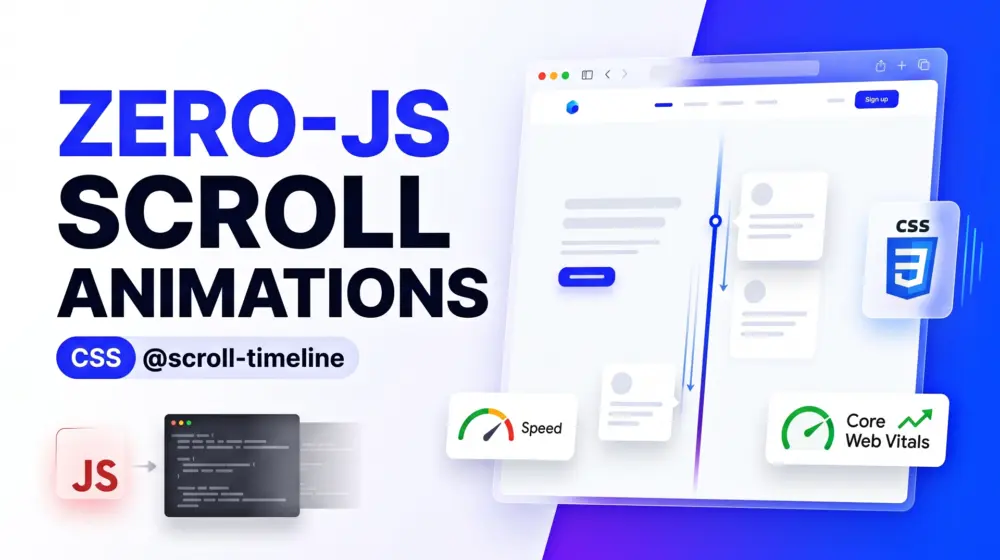
Modern websites are becoming more interactive than ever. Clients want smooth storytelling experiences, animated timelines, scrolling reveals, dynamic content transitions, and immersive landing pages that feel alive. The problem is that many of these experiences are still powered by heavy JavaScript animation libraries.
For years, developers have relied on tools like GSAP, Framer Motion, ScrollMagic, and custom JavaScript solutions to create scroll-linked animations. While these libraries are powerful, they often come with a cost. Additional JavaScript increases page weight, consumes CPU resources, introduces rendering overhead, and can negatively affect Core Web Vitals.
Today, there is a better approach. The CSS Scroll-Driven Animations specification introduces native browser-powered scroll animations through features such as @scroll-timeline and view timelines. Instead of continuously listening to scroll events through JavaScript, the browser handles animation progress directly. The result is smoother interactions, improved performance, reduced complexity, and a significantly better user experience.
If you have been searching for a complete CSS scroll-driven animations guide, this tutorial will show you how to build a modern timeline layout using native CSS and zero JavaScript.
What Are Scroll-Driven Animations?
Scroll-driven animations are animations whose progress is controlled by the user's scrolling position instead of time. Traditional CSS animations typically run based on a duration value. For example, an animation might start and finish after three seconds regardless of user interaction.
Scroll-driven animations work differently. The animation progresses as the user scrolls through the page.
Imagine a timeline where:
- A vertical line gradually fills as the user scrolls.
- Timeline cards fade into view.
- Images slide smoothly from the side.
- Content reveals itself at the exact moment it enters the viewport.
All of these effects can now be achieved using native browser capabilities. The browser calculates the animation state directly from the scroll position, making the experience highly efficient.
Why Developers Are Moving Away from Heavy Scroll Libraries
Many development teams are discovering that scroll animation libraries create unexpected performance issues. JavaScript-driven animation systems often require continuous calculations during scrolling. Every frame may involve position tracking, element measurements, event listeners, and animation updates.
On slower devices this can lead to:
- Janky scrolling
- Increased CPU usage
- Layout shifts
- Reduced battery life
- Poor Core Web Vitals scores
Google increasingly emphasizes performance metrics such as Largest Contentful Paint (LCP), Interaction to Next Paint (INP), and Cumulative Layout Shift (CLS). When animation logic moves from JavaScript into native browser rendering pipelines, performance improves because browsers can optimize animation processing internally. This is one of the biggest reasons why modern native animation web design is becoming increasingly popular among performance-focused developers.
Understanding @scroll-timeline
The @scroll-timeline rule allows developers to connect animation progress to a scrolling container.
Instead of saying:
"Animate this element over three seconds."
You are saying:
"Animate this element as the user scrolls from point A to point B."
The browser automatically maps scroll progress to animation progress.
Conceptually, it looks like this:
- Create a timeline linked to scrolling.
- Connect an animation to that timeline.
- Define the animation keyframes.
- Let the browser handle everything else.
No scroll event listeners, no requestAnimationFrame loops, and no animation calculations running in JavaScript.
Browser Support and Progressive Enhancement
Before implementing scroll-driven animations on production websites, always verify current browser support. The good news is that support continues to expand rapidly across modern browsers.
A progressive enhancement approach is recommended. Users with supported browsers receive enhanced animations, while users without support still receive fully accessible and functional content. This approach aligns perfectly with WCAG 2.2 principles because functionality remains available regardless of animation support. Accessibility should never depend on animations.
Building a Scroll-Driven Timeline Layout
Let's create a practical timeline section often used on agency websites, SaaS landing pages, portfolios, and company history pages.
The final result will include a vertical timeline line that fills while scrolling, timeline cards that fade and slide into view, smooth motion powered entirely by CSS, and no JavaScript requirement.
Step 1: Create the HTML Structure
Start with a clean semantic structure.
<section class="timeline">
    <article class="timeline-item">
        <h2>Research</h2>
        <p>Understanding user goals and business objectives.</p>
    </article>

    <article class="timeline-item">
        <h2>Design</h2>
        <p>Creating accessible user experiences.</p>
    </article>

    <article class="timeline-item">
        <h2>Development</h2>
        <p>Building scalable and optimized solutions.</p>
    </article>

    <article class="timeline-item">
        <h2>Launch</h2>
        <p>Deploying and monitoring performance.</p>
    </article>
</section>
Notice that we use semantic elements such as section and article. This improves accessibility and helps search engines better understand page structure.
Step 2: Create the Timeline Layout
Now add the base styling.
.timeline {
    position: relative;
    max-width: 900px;
    margin: 0 auto;
    padding: 100px 20px;
}

.timeline::before {
    content: "";
    position: absolute;
    left: 40px;
    top: 0;
    width: 4px;
    height: 100%;
    background: #ddd;
}

.timeline-item {
    margin-bottom: 120px;
    padding-left: 100px;
}
This creates the visual foundation of the timeline. At this stage everything is static, and the next steps introduce scroll-driven behavior.
Step 3: Define Scroll Timeline
Create a timeline linked to the page scroll.
@scroll-timeline page-scroll {
    source: auto;
    orientation: block;
}
This timeline now represents the vertical scrolling progress of the page. Think of it as a progress bar that continuously tracks user scrolling.
Step 4: Create Timeline Fill Animation
Define the animation keyframes.
@keyframes grow-line {
    from {
        transform: scaleY(0);
    }

    to {
        transform: scaleY(1);
    }
}
Apply the animation.
.timeline::before {
    transform-origin: top;
    animation-name: grow-line;
    animation-timeline: page-scroll;
}
Now the timeline line grows naturally as the user scrolls. No JavaScript is involved, and the browser calculates progress automatically.
Step 5: Animate Timeline Cards
Let's make each card reveal itself smoothly.
@keyframes reveal-card {
    from {
        opacity: 0;
        transform: translateY(60px);
    }

    to {
        opacity: 1;
        transform: translateY(0);
    }
}
Apply the animation.
.timeline-item {
    animation-name: reveal-card;
    animation-timeline: view();
    animation-range: entry 20% cover 40%;
}
This creates a powerful effect. As each card enters the viewport, it fades and slides into position. The browser handles everything natively.
Understanding View Timelines
One of the most exciting parts of the specification is the view() timeline. Instead of linking animation progress to page scrolling, it links animation progress to an element's visibility within the viewport. This means animations begin precisely when an element enters the screen, and the result feels more natural than traditional scroll event techniques.
For timeline layouts, feature sections, case studies, testimonials, and landing pages, view timelines often produce the best user experience.
Creating More Engaging Effects
Once the foundation is working, you can create advanced experiences. Images can scale slightly as they enter the viewport, background elements can move subtly for depth, statistics can animate into view, section dividers can expand, and progress indicators can grow naturally.
Because the browser manages animation timing, these effects remain efficient even on lower-powered devices. The key is restraint. Modern UI design trends increasingly favor subtle movement over excessive motion, and animations should guide attention rather than distract users.
Accessibility Considerations (WCAG 2.2)
Accessibility should always be part of the design process. Animations can enhance usability, but they should never create barriers. WCAG 2.2 recommends respecting user motion preferences, so always provide support for reduced motion settings.
@media (prefers-reduced-motion: reduce) {
    * {
        animation: none !important;
    }
}
This ensures users who experience motion sensitivity are not forced to view animated content. Content must remain understandable even when animations are disabled. Avoid relying on motion alone to communicate important information. Headings, text hierarchy, contrast ratios, and logical document structure should always communicate meaning independently. Animations should support content, not replace it.
SEO Benefits of Native Scroll Animations
Many developers overlook the SEO implications of animation choices. Search engines increasingly evaluate user experience signals.
Heavy JavaScript animation libraries can negatively affect:
- Loading performance
- Mobile responsiveness
- User engagement
- Rendering efficiency
Native CSS scroll-driven animations reduce JavaScript dependency and help maintain cleaner performance metrics. Faster websites generally provide better user experiences, which can indirectly contribute to stronger search visibility. Additionally, reduced JavaScript complexity often leads to easier maintenance and fewer technical issues.
Common Questions
What is CSS scroll-driven animation?
CSS scroll-driven animation is a native browser feature that allows animation progress to be controlled by scroll position rather than time. It eliminates the need for JavaScript scroll listeners and improves performance.
Is @scroll-timeline better than GSAP?
For many common scroll effects, @scroll-timeline provides excellent performance because animations run directly through browser rendering systems. However, GSAP still offers advanced capabilities for highly complex interactive experiences.
Do scroll-driven animations improve Core Web Vitals?
They can. By reducing JavaScript execution and minimizing scroll event processing, native CSS animations often help improve responsiveness and overall performance.
Can I build modern storytelling websites without JavaScript?
In many cases, yes. Native CSS scroll-driven animations now support a large percentage of scroll-linked effects that previously required JavaScript libraries.
Are CSS scroll animations accessible?
Yes, when implemented correctly. Developers should respect prefers-reduced-motion settings, maintain semantic structure, and ensure content remains understandable without animations.
Real-World Use Cases
Scroll-driven animations are particularly effective in modern web design projects. Agency websites use them to showcase services, SaaS companies use them to explain product features, portfolio websites use them to tell project stories, corporate brands use them for company timelines, and educational websites use them to guide users through learning journeys.
In each scenario, the goal is the same: create visual engagement while preserving performance. Native CSS solutions help achieve both.
Best Practices for Production Websites
When implementing scroll-driven layouts, keep performance and usability at the center of every decision. Avoid animating large numbers of elements simultaneously, keep motion subtle and purposeful, test on mobile devices, verify accessibility compliance, and measure Core Web Vitals before and after implementation.
Ensure content remains readable and functional if animations are unavailable. Most importantly, use animation as a storytelling tool rather than decoration. The best animations feel natural and almost invisible because they support the user's journey through the content.
The Future of Web Animation
The web platform continues to evolve toward native capabilities that previously required external libraries. Features such as container queries, CSS nesting, view transitions, and scroll-driven animations represent a major shift in frontend development.
Developers can now build richer experiences while shipping less JavaScript. This is excellent news for performance, accessibility, maintainability, and user experience. As browser support continues to improve, scroll-driven animations will likely become a standard part of modern web design workflows. For agencies and freelancers, learning these techniques today provides a significant competitive advantage.
Conclusion
The era of relying on heavy JavaScript libraries for every scroll effect is beginning to fade. With CSS Scroll-Driven Animations and @scroll-timeline, developers can create elegant timeline layouts, content reveals, progress indicators, and immersive storytelling experiences using native browser features.
The biggest advantage is not simply writing less code. It is delivering faster websites, stronger Core Web Vitals, better accessibility, improved maintainability, and a smoother experience for users across all devices.
If your clients want engaging scroll interactions without sacrificing performance, native CSS scroll timelines provide one of the most exciting solutions available in modern frontend development.
Have you started experimenting with CSS Scroll-Driven Animations on your projects? Share your experience, challenges, or favorite use cases in the comments below, and don't forget to share this article with your fellow developers, designers, and WordPress professionals.
