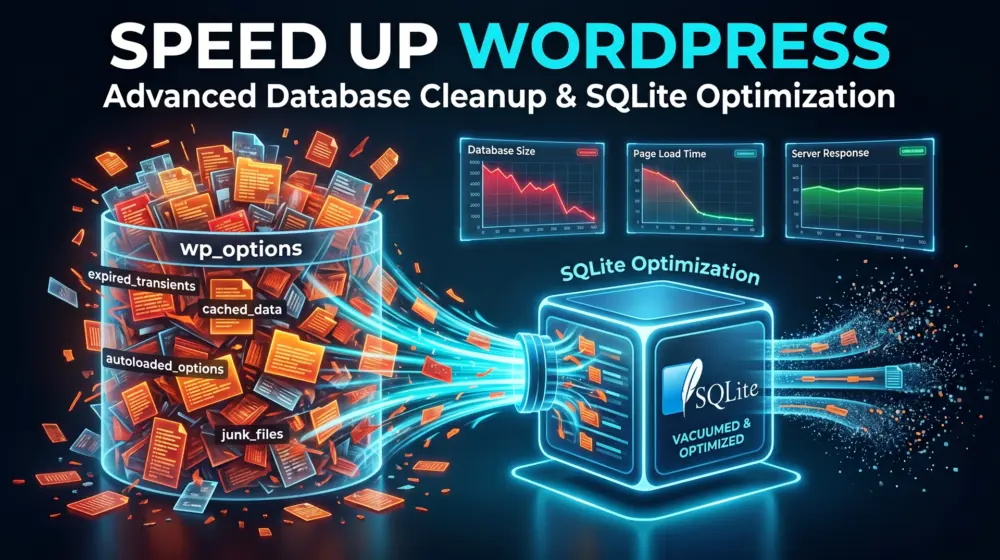
WordPress performance optimization has changed significantly over the last few years. Site owners are investing in faster hosting, premium caching plugins, CDNs, image optimization tools, and advanced database tuning. Yet one of the most overlooked performance killers still exists inside countless WordPress websites: transient bloat.
If you've ever opened your WordPress database and discovered thousands or even hundreds of thousands of transient records filling the wp_options table, you're not alone. Many plugins, themes, WooCommerce extensions, page builders, membership platforms, analytics tools, and custom integrations rely heavily on transients. While transients are designed to improve performance by storing temporary data, they often become the exact reason a website slows down.
For high-traffic websites, the problem grows rapidly. Every request can create, update, delete, or check transient values. As the wp_options table becomes overloaded, MySQL spends more time processing unnecessary data, causing slower page loads and increased server resource consumption.
Many developers solve this issue using Redis or Memcached. These technologies are excellent but not always practical. Smaller businesses, agencies, and self-hosted VPS users often want a lightweight and cost-effective alternative. This is where SQLite-based object caching becomes an interesting and powerful solution.
In this guide, you'll learn how to offload WordPress transients to SQLite using a custom object cache drop-in, reduce wp_options table bloat, improve database efficiency, and create a lightweight local micro-caching system for WordPress.
Understanding the Real Problem with Transients
Before implementing a solution, it's important to understand why transient bloat becomes such a major issue.
WordPress transients are temporary pieces of data stored for a specific duration. Developers use them to cache expensive operations such as API requests, WooCommerce calculations, search results, dynamic queries, and external service responses. A transient typically creates entries inside the wp_options table.
For example, a plugin might store:
- API responses
- Product recommendations
- User-specific calculations
- Analytics data
- Search indexes
When hundreds of plugins and processes generate transients continuously, the wp_options table grows rapidly. The situation becomes worse when plugins fail to clean expired transients properly. Over time, your database accumulates thousands of unnecessary records.
Every page request may require MySQL to inspect this growing table. As a result:
- Database queries become slower
- CPU usage increases
- Memory usage rises
- Backup sizes become larger
- Database optimization becomes more difficult
This problem is particularly noticeable on WooCommerce stores, membership websites, learning management systems, and high-traffic blogs.
Why Redis and Memcached Aren't Always the Best Choice
Redis and Memcached are popular object caching solutions. They are fast, scalable, and widely supported. However, they introduce additional infrastructure requirements.
Many shared hosting providers don't offer Redis support. Some VPS providers charge extra for managed Redis services. Configuration, maintenance, monitoring, and memory allocation can also add complexity. For smaller production environments, developers often want something lightweight, local, easy to deploy, low maintenance, and extremely fast. SQLite provides exactly that.
What Is a SQLite Object Cache for WordPress?
A SQLite object cache stores transient data inside a dedicated SQLite database file instead of the wp_options table. Rather than saving temporary cache entries inside MySQL, WordPress redirects transient operations to a separate SQLite storage layer.
The result is simple: your primary MySQL database remains clean while temporary cache data lives in its own isolated storage system.
This approach delivers several benefits:
Cleaner MySQL Database
The wp_options table remains small and efficient.
Faster Transient Operations
SQLite can perform extremely fast reads and writes for local cache workloads.
Reduced Database Load
MySQL focuses on actual content and application data instead of temporary cache entries.
Lower Hosting Costs
No need for Redis servers or additional managed services.
Better Scalability
High-frequency transient operations no longer compete with core WordPress queries.
How WordPress Object Cache Drop-ins Work
WordPress supports a special file called:
wp-content/object-cache.phpThis file acts as an object cache drop-in. When WordPress detects this file, it routes object cache operations through it, allowing developers to replace default cache behavior with custom storage engines.
Instead of storing transient data in MySQL, we can intercept requests and redirect them to SQLite. The workflow becomes:
WordPress Request → Object Cache Drop-in → SQLite Database
Rather than:
WordPress Request → wp_options Table → MySQL
This architectural change dramatically reduces database overhead.
Designing a SQLite Micro-Caching System
A high-performance SQLite cache implementation should focus on simplicity and speed. The architecture typically includes a dedicated SQLite database, optimized table structures, indexed lookups, and automatic expiration handling.
SQLite Cache Database
Create a dedicated SQLite database file:
wp-content/cache/transients.sqliteCache Table Structure
A lightweight schema might look like:
CREATE TABLE cache (
    cache_key TEXT PRIMARY KEY,
    cache_value BLOB,
    expiration INTEGER
);
This structure keeps storage minimal and retrieval fast.
Indexed Lookups
SQLite automatically indexes the primary key, allowing extremely fast cache retrieval.
Expiration Management
Store Unix timestamps for expiration values. Expired entries can be removed automatically during reads or scheduled cleanup operations.
Building the Custom object-cache.php File
The core concept is straightforward. First, initialize a SQLite connection:
$this->db = new SQLite3(
    WP_CONTENT_DIR . '/cache/transients.sqlite'
);
Then enable performance-focused SQLite settings:
$this->db->exec('PRAGMA journal_mode=WAL');
$this->db->exec('PRAGMA synchronous=NORMAL');
$this->db->exec('PRAGMA mmap_size=268435456');
The memory-mapped configuration allows SQLite to utilize OS-level caching efficiently. This is where the concept of local micro-caching becomes extremely powerful. Instead of repeatedly hitting MySQL, the operating system can serve cache requests directly from memory-mapped pages.
Intercepting Transient Requests
WordPress stores transients through cache methods. A custom object cache can override operations such as:
wp_cache_set()
wp_cache_get()
wp_cache_delete()
When a transient is written:
wp_cache_set(
    'my_transient',
    $value,
    'transient',
    3600
);
The drop-in stores data inside SQLite.
When WordPress requests the transient:
wp_cache_get(
    'my_transient',
    'transient'
);
The value is returned directly from SQLite, meaning no wp_options lookup occurs and no MySQL query is required.
Using Memory-Mapped SQLite for Maximum Speed
One of SQLite's most underrated features is memory mapping. Memory mapping allows database pages to be accessed directly through the operating system's virtual memory subsystem. For cache-heavy workloads, this can dramatically reduce I/O overhead.
A commonly used configuration is:
PRAGMA mmap_size=268435456;This allocates approximately 256 MB for memory-mapped operations. The operating system handles page caching automatically, making cache reads incredibly efficient. For many WordPress websites, this performance is more than sufficient to replace Redis for transient storage.
Implementing Automatic Cache Expiration
An effective cache system must remove expired entries. When retrieving a record:
SELECT cache_value,
expiration
FROM cache
WHERE cache_key = ?
Compare the expiration timestamp against the current time. If the entry has expired:
DELETE FROM cache
WHERE cache_key = ?
Return a cache miss. This lazy cleanup method minimizes unnecessary write operations. For larger websites, a scheduled WP-Cron cleanup process can also remove expired entries periodically.
Advanced Optimization Techniques
Developers working with high-traffic WordPress installations can push SQLite even further using several advanced optimizations.
Write-Ahead Logging (WAL)
Enable WAL mode:
PRAGMA journal_mode=WAL;This improves concurrent read and write performance.
Optimized Synchronization
PRAGMA synchronous=NORMAL;This balances durability and speed.
Temporary Memory Storage
PRAGMA temp_store=MEMORY;Temporary data remains in RAM.
Cache Size Tuning
PRAGMA cache_size=-64000;This increases memory allocation for database pages.
Combined together, these settings create an extremely efficient local cache engine.
Real-World Performance Benefits
When transient operations move away from wp_options, several improvements become noticeable. Database query counts decrease, wp_options table growth slows dramatically, administrative screens become faster, WooCommerce product pages respond more quickly, API-heavy plugins generate less MySQL load, backup sizes become smaller, and database optimization tasks become easier.
Many developers report significant reductions in database-related bottlenecks after isolating transient storage. The biggest advantage is consistency. Instead of MySQL handling both application data and temporary cache data, each storage system focuses on its own responsibility.
Security Considerations
SQLite cache databases should never be publicly accessible. Store the database outside the public web root whenever possible. If it must reside inside wp-content, protect it using server rules.
For Apache:
<Files "*.sqlite">
    Require all denied
</Files>
For Nginx:
location ~ \.sqlite$ {
    deny all;
}
Always ensure proper file permissions. The cache database should be writable by PHP but inaccessible from browsers.
When Should You Use SQLite Instead of Redis?
SQLite object caching is ideal when:
- You run a small to medium production website.
- You manage client projects on VPS hosting.
- You want to reduce infrastructure complexity.
- You need a lightweight local caching layer.
- You want to fix wp_options transient bloat without deploying additional services.
Redis remains the better choice for extremely large distributed environments, multi-server clusters, and enterprise-scale WordPress architectures. However, for many websites, SQLite delivers an excellent balance of simplicity, speed, and cost.
Future of Local Micro-Caching in WordPress
As hosting costs continue to rise and websites become more dynamic, developers are looking for efficient alternatives to traditional caching infrastructure. SQLite is experiencing a resurgence across the web development industry.
Modern applications increasingly use SQLite for local storage, edge computing, embedded systems, and lightweight caching layers. WordPress developers can benefit from this trend by adopting SQLite-based object cache drop-ins that eliminate unnecessary database pressure.
The idea is simple but powerful: keep permanent content in MySQL, keep temporary cache data in SQLite, and allow each system to do what it does best.
Final Thoughts
Transient bloat remains one of the most overlooked WordPress performance issues. While many site owners focus on page caching and image optimization, an overloaded wp_options table quietly degrades performance behind the scenes.
By implementing a custom SQLite object cache drop-in, you can completely separate transient storage from MySQL, reduce database overhead, improve query performance, and create a highly efficient local micro-caching layer.
For developers seeking an affordable alternative to Redis or Memcached, SQLite offers a surprisingly powerful solution. Combined with memory-mapped files, WAL mode, and optimized cache settings, it can handle transient workloads with remarkable efficiency while keeping your WordPress database clean and responsive.
If you're managing a high-traffic WordPress website, WooCommerce store, membership platform, or custom application, now may be the perfect time to explore SQLite object caching and finally eliminate wp_options transient bloat once and for all.
Have you ever discovered thousands of expired transients inside your wp_options table? Would you consider using a SQLite object cache drop-in instead of Redis or Memcached? Share your experience in the comments below, and if you found this guide useful, don't forget to share it with your friends, fellow developers, and WordPress professionals.
